
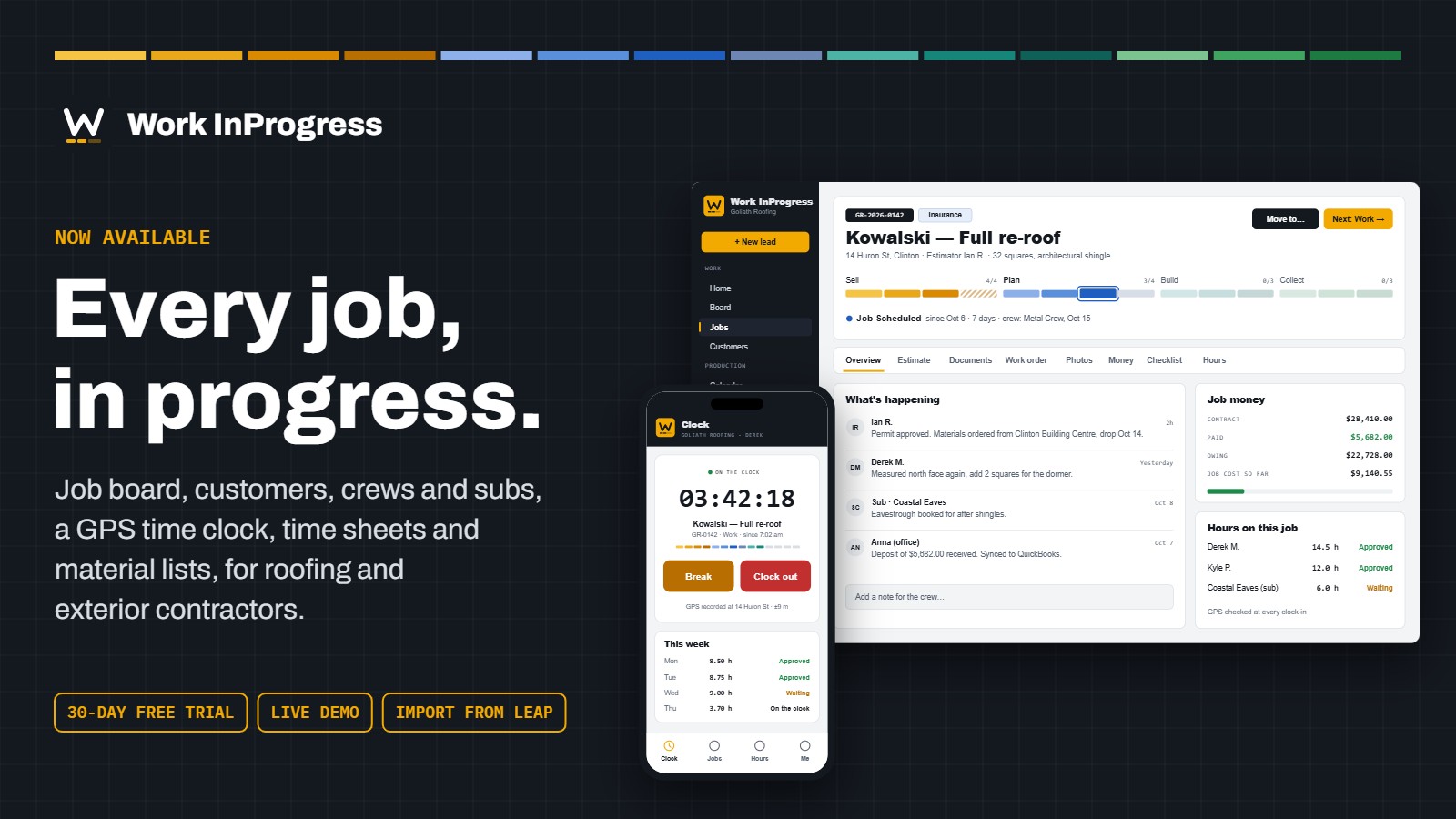
Running a roofing or exteriors company means juggling leads, crews, subs, materials and hours across sticky notes, spreadsheets and software that was never built for the trade. Work InProgress puts all of it in one place, on any computer, tablet or phone. Today it’s open to everyone.
One board for every job
Every job sits on its stage, from the first call to the final payment, grouped the way contractors already think: Sell, Plan, Build and Collect.
- Job board or list: see every job by stage, filter by the kind of work or the sales rep, and search by job number, customer or street.
- Fourteen ready-made stages for roofing and exteriors, with a separate path for repairs. Contract and completion dates are recorded as jobs move.
- A full history on every job: notes, stage changes and who did what, all in one timeline.
- How long each job has sat in its stage, so nothing quietly stalls.
Customers and jobs, organized
- Customer records for families and businesses, with phone, email, address, how they found you and notes like gate codes and the dog in the yard.
- Search that just works: find a customer by name, street, town, email, or a phone number typed any way.
- Jobs numbered automatically, each with its trades, job site, sales rep, production manager and job value.
- Bring your data with you: import customers and jobs from Leap or any Excel or CSV file. Columns are matched for you, you check everything before it’s added, and running the same file twice never makes duplicates.
Crews and subs, on their phones
No app store needed. Your crew opens it in their phone’s browser and adds it to their home screen.
- Time clock with GPS: clock in on a job, switch jobs without clocking out, record the unpaid break and clock out. Each punch records where the phone was.
- Today’s jobs: directions in one tap, the customer’s number, the scope of work and your notes for the crew.
- Photos from the job site, taken right from the phone and shrunk before sending to save data.
- Notes to the office when they find rotten decking or need more drip edge.
- Subcontractors see only the jobs you give them. No prices, no other customers.
Time sheets that add themselves up
- Every person’s week with daily totals, the jobs they worked and a map link for every clock-in and clock-out.
- Fix a missed punch or add forgotten time. Changes are marked, so everyone can see what was edited.
- Approve the week with one click.
- Hours on every job, so you can see where your labour went.
Materials without the math
- Your price list: cost, price, margin, supplier and waste for every material, with a history of price changes and bulk updates by percentage.
- Material lists that work out quantities from measurements like squares, eaves, rakes and ridge.
- Material worksheets for each job, with live totals for cost, waste, price and margin.
- Set waste your way: a percentage per material, or one figure for the whole job.
Everyone sees what they should, and nothing more
Owners, office managers, sales, production managers, production team, crew members, subcontractors and customers each get their own login type. Your production team and crews see quantities and schedules, never your costs or prices. Every company gets its own web address and its own private database, so your information is never mixed with anyone else’s.
Coming next
We’re building estimates and proposals your customers can sign online, invoices and online payments, QuickBooks Online sync, and a customer view for proposals, invoices and progress photos.
Simple pricing
- 30 days free to start. No credit card needed.
- $25 a month per staff user: owner, office, sales and production.
- $2 a month per crew member or subcontractor.
- Customers are always free. Prices in CAD, before tax.
See it for yourself
The live demo is a made-up roofing company full of jobs, crews and time sheets. Go in as the owner, the office manager or a crew member on their phone. No sign-up needed.
Rather have someone walk you through it with one of your own jobs? Book a 30-minute walkthrough.